
Download 360 Panorama – 360 panorama, 360 photo, panoramic photo, iOS app, iPhone, iPad, immersive photos, panoramic camera, 360 degree photo, photo app
Overview
360 Panorama is a specialized photography application designed for iOS devices, enabling users to capture immersive 360-degree panoramic images using the built-in camera of their iPhone, iPad, or iPod Touch. The app is tailored for individuals seeking a straightforward method to record expansive visual scenes, such as landscapes, event venues, or architectural interiors, without requiring advanced equipment. It addresses the limitations of standard smartphone photography by expanding the field of view to encompass the entire surrounding environment, delivering a more comprehensive visual memory of a moment.
Target users include travelers, hobbyist photographers, and individuals documenting personal events who desire a more engaging way to preserve experiences. The app is particularly beneficial for older iOS devices that may lack native 360-degree capture functionality, offering a way to enhance their photography capabilities. Real-world applications range from capturing scenic vistas during outdoor excursions to recording family gatherings or city tours with a sense of presence. The app’s integration with geotagging and gyroscopic viewing adds contextual and interactive depth to each photo, allowing users to relive the moment as it was experienced.
Key Features & Capabilities
- 360-Degree Image Capture – Users can create panoramic photos by simply tapping and holding the capture button while rotating the device, allowing for continuous image stitching without manual adjustments.
- Geotagging Support – Each captured image is automatically tagged with location data, enabling users to map and organize their photos based on where they were taken.
- Gyroscopic Viewing – Photos can be viewed interactively by tilting the device, simulating the original perspective and enhancing the immersive experience.
- Multi-Platform Compatibility – Designed to function on iPhone, iPad, and iPod Touch devices running iOS, making it accessible to a broad range of users.
- Seamless Sharing Options – Captured panoramic images can be shared directly via social media platforms like Facebook and Twitter, or sent through email to friends and family.
These features collectively support a user-friendly workflow for creating and distributing high-engagement visual content. The app’s focus on simplicity and accessibility ensures that users do not need technical expertise to produce professional-grade panoramic images. It is especially useful in scenarios where a traditional camera would fail to capture the full scope of a scene.
User Interface, Workflow & Performance
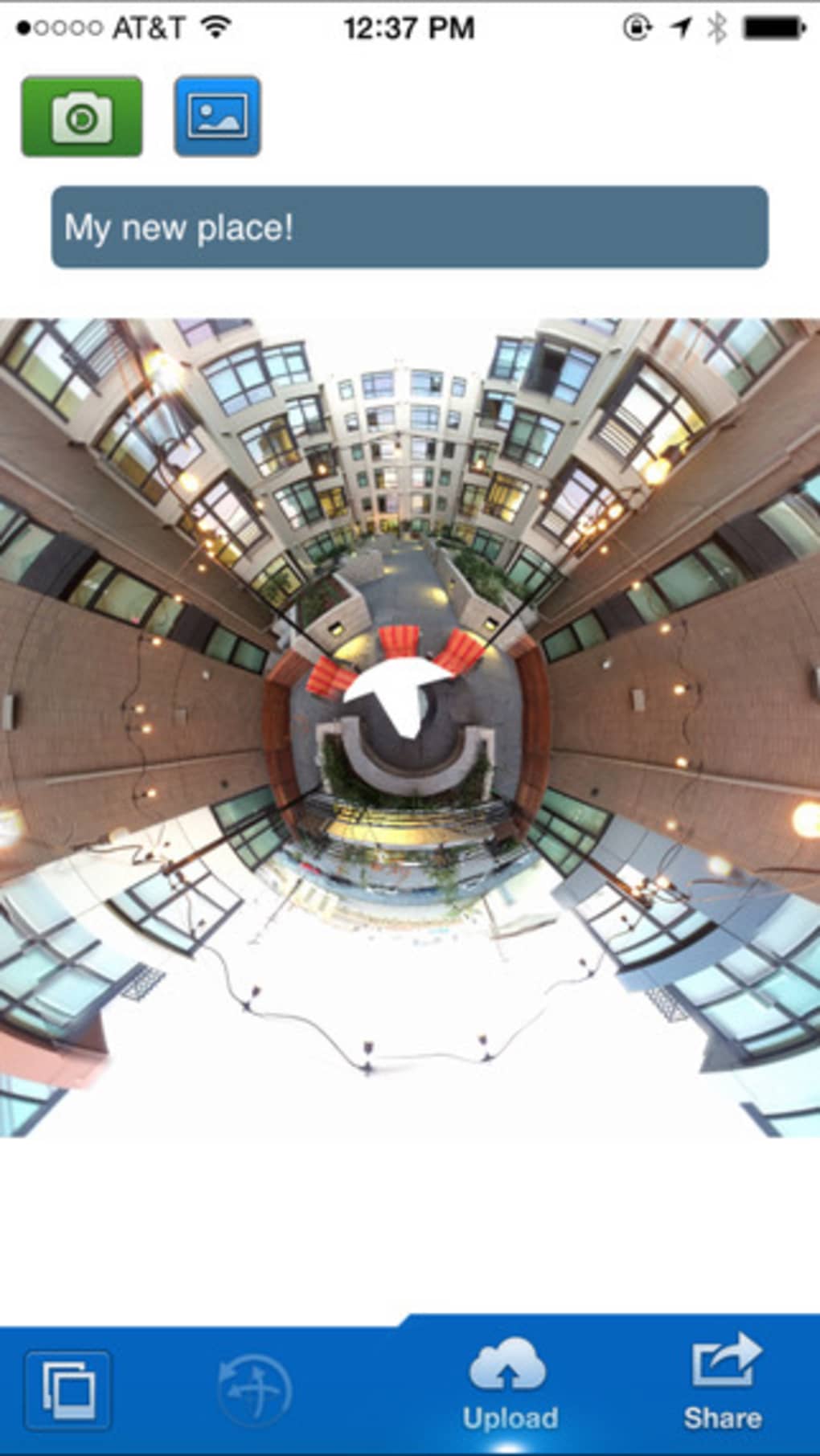
The user interface of 360 Panorama is designed with minimalism and functionality in mind, prioritizing ease of use through intuitive controls. The main screen features a central capture button, with clear visual feedback during the image stitching process. Navigation is straightforward, allowing users to access their photo library, settings, and sharing tools with minimal steps.
The workflow is optimized for speed and simplicity: users begin by selecting the capture mode, press and hold the button, and rotate the device smoothly to capture the full 360-degree view. The app handles the image stitching in real time, reducing the need for post-processing. Performance is expected to be consistent with standard iOS app behavior, though exact resource usage details were not specified. Stability is assumed to be reliable for its intended purpose, given the app’s long-standing presence on the platform.
Compatibility & System Requirements
360 Panorama is designed to run on iOS devices, including iPhone, iPad, and iPod Touch. The app requires iOS 7 or later, making it compatible with a wide range of older Apple devices that may not have native 360-degree photography support. The installation size is 12.4 MB, indicating a lightweight footprint that should not significantly impact device storage.
Exact system requirements were not listed, and no specific hardware specifications were provided. The developer did not specify CPU or RAM usage, nor did they detail any additional dependencies. Compatibility information is limited to the operating system and device types mentioned.
Pros and Cons
Pros
- Simple and intuitive interface ideal for casual and experienced users alike.
- Enables 360-degree photo capture on older iOS devices without native support.
- Geotagging and gyroscopic viewing enhance photo context and interactivity.
- Lightweight installation size (12.4 MB) with minimal storage impact.
- Direct sharing options to social media and email improve content distribution.
Cons
- Limited to iOS platform, excluding Android and other mobile ecosystems.
- No information provided about image resolution or file size after capture.
- Dependent on device camera quality and stability during rotation.
- Older release date (2014) raises questions about ongoing support and updates.
- No mention of cloud backup or synchronization features.
FAQ Section
Is 360 Panorama compatible with all iOS devices?
The app is designed for iPhone, iPad, and iPod Touch devices running iOS 7 or later. Compatibility may vary depending on the specific device model and iOS version.
Is the app safe to download and use?
As a third-party application available through the Apple App Store, 360 Panorama is subject to Apple’s review and security standards. Users should ensure they download the app from official sources.
Does 360 Panorama require an internet connection?
The app functions offline for capturing and viewing photos. However, sharing features may require an internet connection.
What type of license does 360 Panorama use?
360 Panorama is a paid application with a one-time purchase model. The license allows permanent use on eligible devices.
Can I use 360 Panorama without a Wi-Fi connection?
Yes, the app can be used entirely offline for capturing, viewing, and storing panoramic photos. Internet access is only required for sharing content.
Final Thoughts + CTA
360 Panorama remains a functional and accessible tool for capturing immersive panoramic images on iOS devices. While its release date is over a decade old, the app continues to serve a niche audience seeking a simple way to create 360-degree photos without relying on newer device features. Its lightweight design, geotagging, and gyroscopic viewing offer valuable enhancements for users with older hardware. However, the lack of recent updates and modern features may limit its appeal to users seeking cutting-edge functionality.
For travelers, event photographers, and iOS users with legacy devices, 360 Panorama provides a reliable and straightforward solution for expanding their visual storytelling. Despite its age, it delivers on its core promise with minimal friction.
Download 360 Panorama now







